

Folders let you organize the graphics you create. Group them however your department works, by sport, by season, or by type like Gameday, Scores, and Player Spotlight, and find any graphic in a couple of clicks.
This one came straight from your feedback, and it's live now on every Box Out plan.
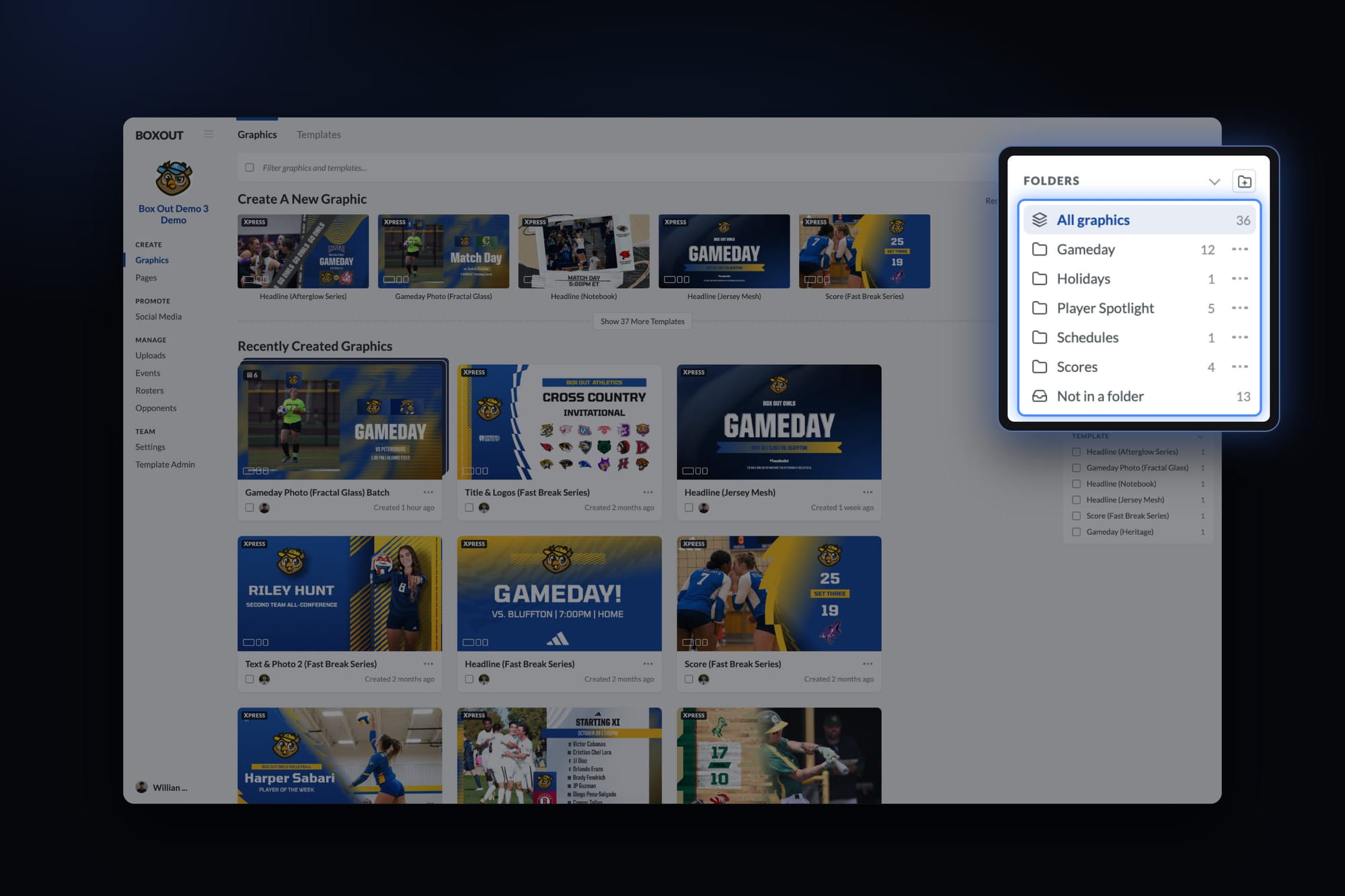
What you can do with Folders
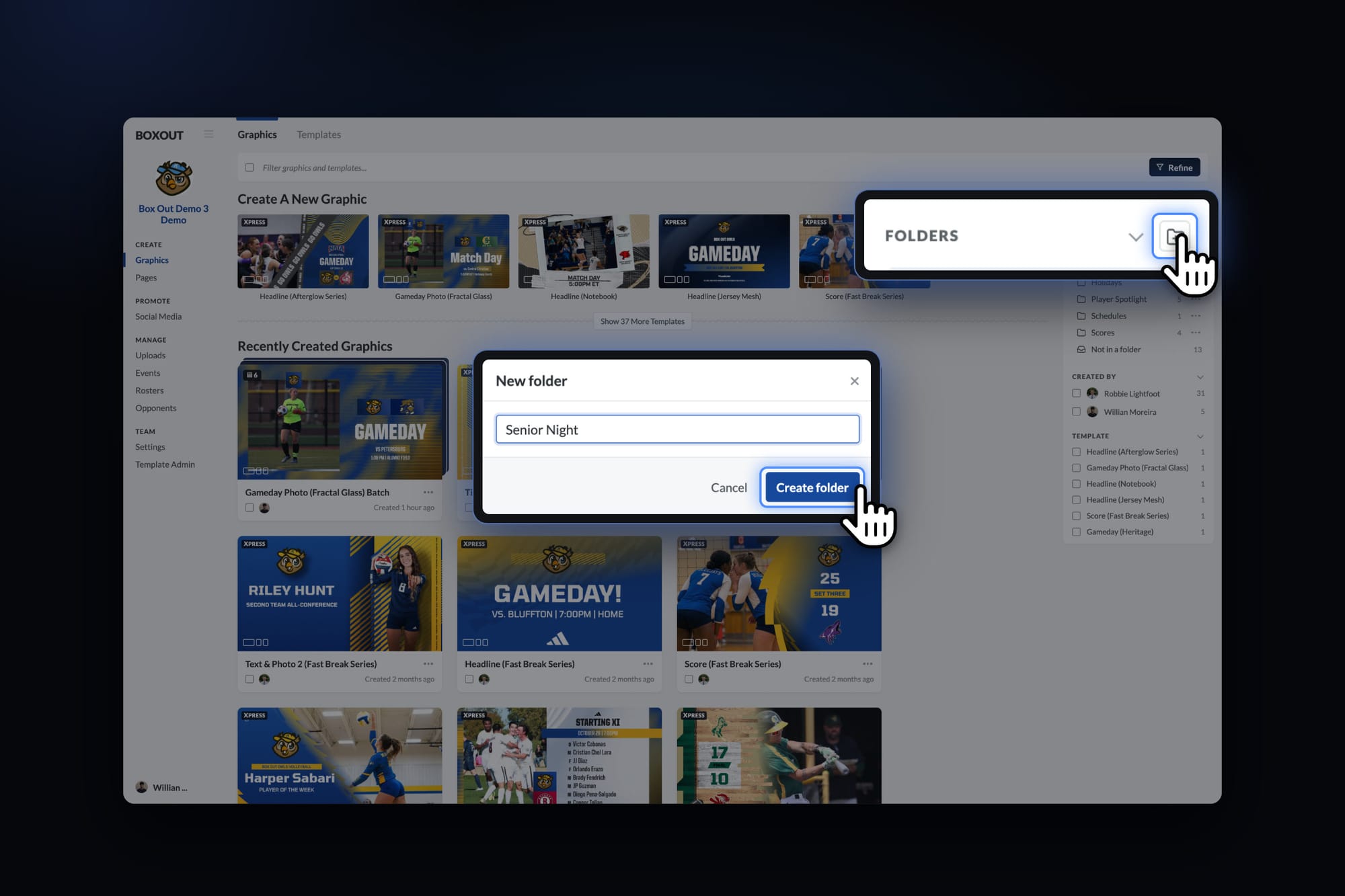
Create a folder
On the Graphics page, find Folders in the Refine panel on the right. Click the folder icon next to Folders, type a name, and click Create folder.
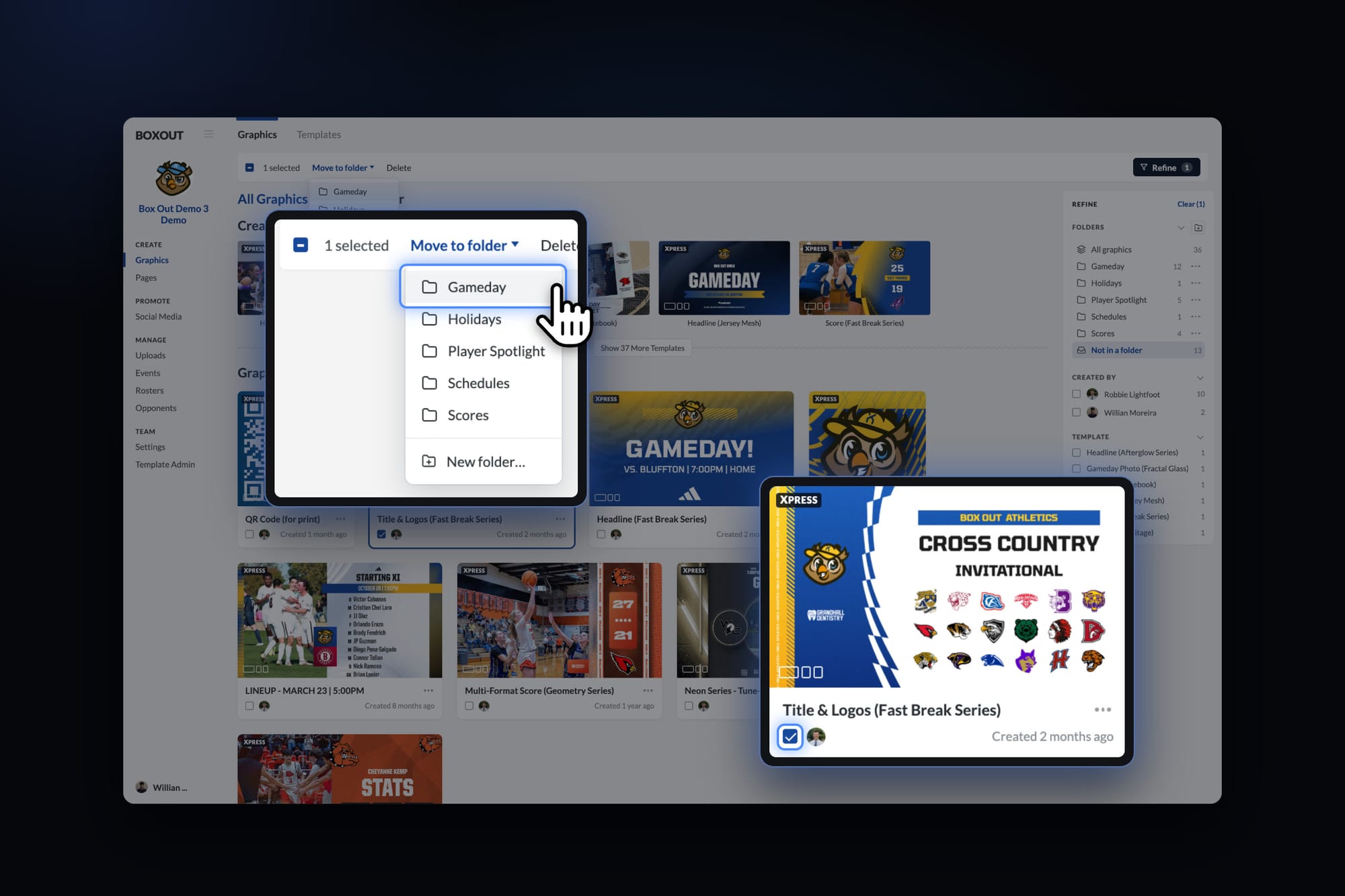
Move graphics into a folder
Check the box under each graphic you want to move, then click Move to folder at the top and pick a folder. Move one graphic or a whole page at once, batches included. Need a new folder on the spot? Choose New folder… right from the same list.
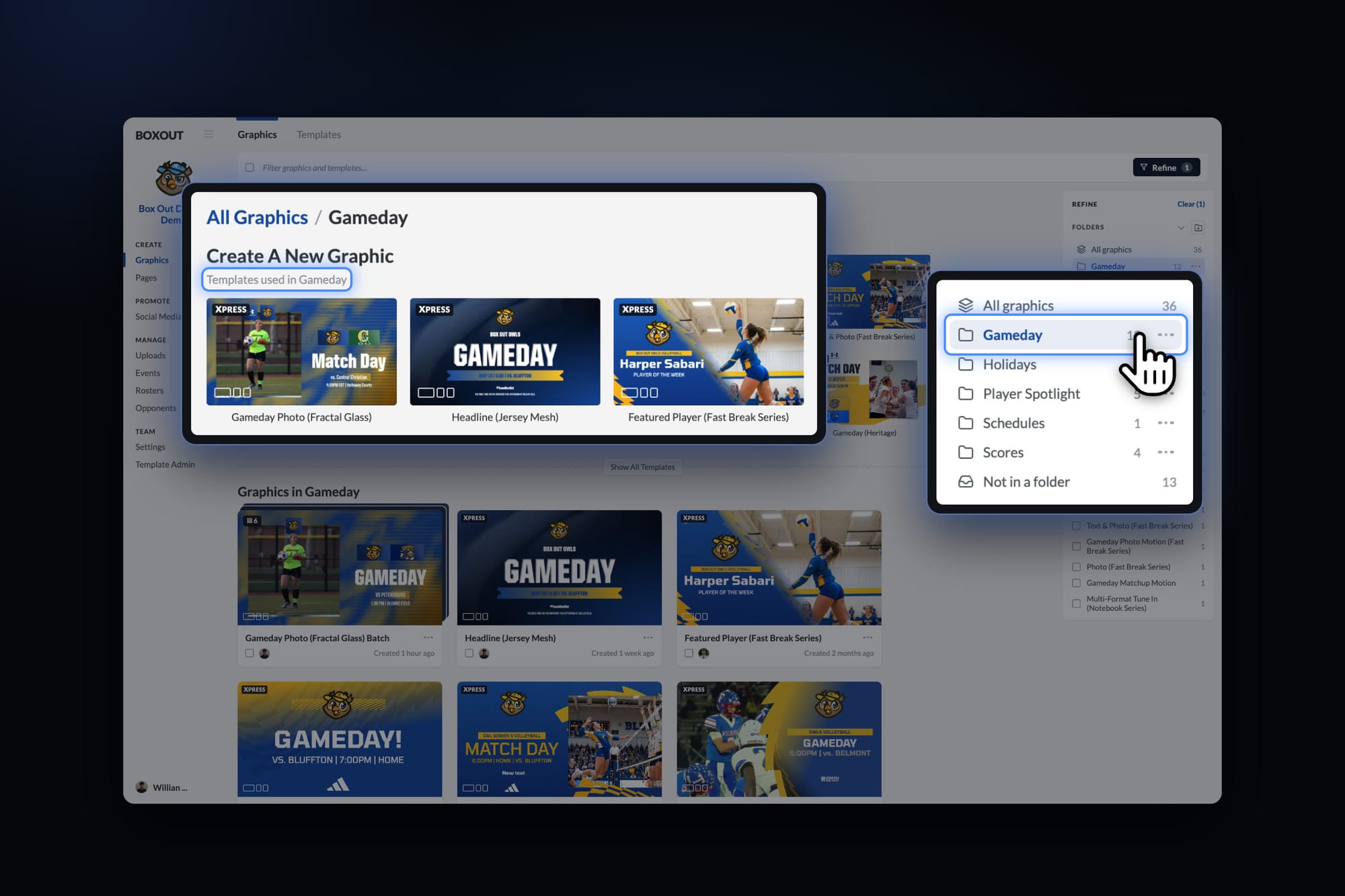
Open a folder
Click any folder to see only its graphics. The templates you've used in that folder show up at the top, so your next graphic is one click away. Click All Graphics to go back to everything.
Folders inside folders
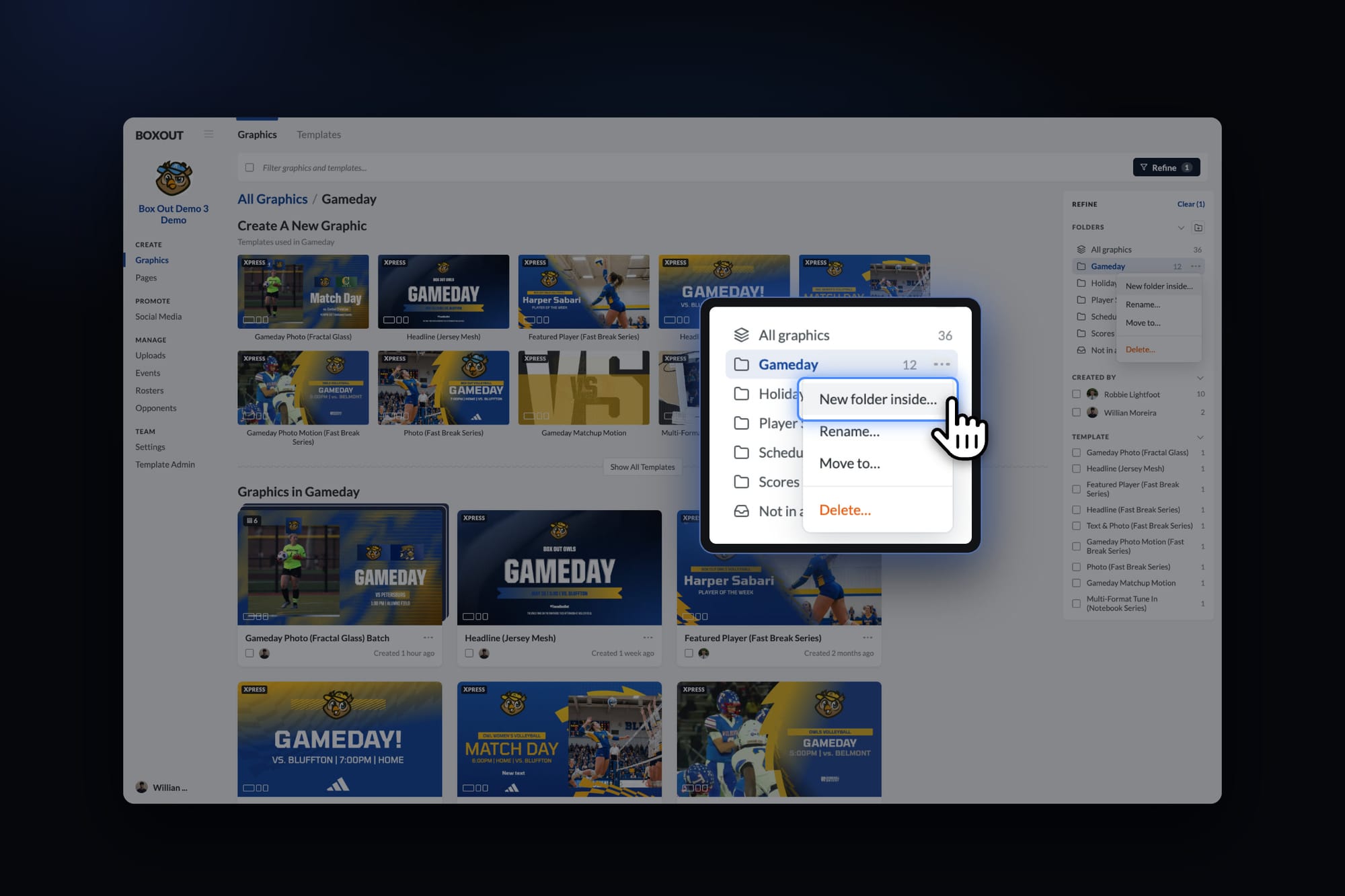
Click the three dots next to a folder and choose New folder inside… to add a folder within it, like Football inside Gameday. The same menu lets you rename, move, or delete a folder.
Ways to organize with Folders
By sport. Give each sport its own folder, so you can jump straight to football or volleyball without scrolling.
By season or event. Homecoming, Senior Night, Playoffs: keep everything for the moment in one place.
By type. Gameday, Scores, Player Spotlight, Schedules. Your recurring posts stay a click away all season.
Tip: Not in a folder shows every graphic you haven't filed yet, so cleaning up takes a minute.
We can't wait to see your graphics organized. If you have questions, we're happy to help.


