

Running an athletic department means trusting your team to get things done. But when it comes to what goes out on social media, that trust has to come with some guardrails. That is exactly why we rebuilt the Box Out share experience from the ground up.
Sharing Has Never Been Easier
When you are ready to post, click Share in the top right corner of any graphic. From there you can email it, download it for your website or video boards, or post directly to social. Box Out automatically sends the right size to the right platform, all three formats posted to over five platforms in one click. You can also stack your post with additional photos to tell the full story, and generate an AI caption for your alt text in seconds.
The Big News: Permissions and Requests
As an athletic administrator, you are already juggling enough. Box Out has always been built for delegation, and we want to make it even easier for you to bring in coaches, students, or staff to help create graphics without worrying about what gets posted and when. With the new Permissions and Requests feature, you decide who can post and who needs your approval first.
Here is how it works:
For Administrators
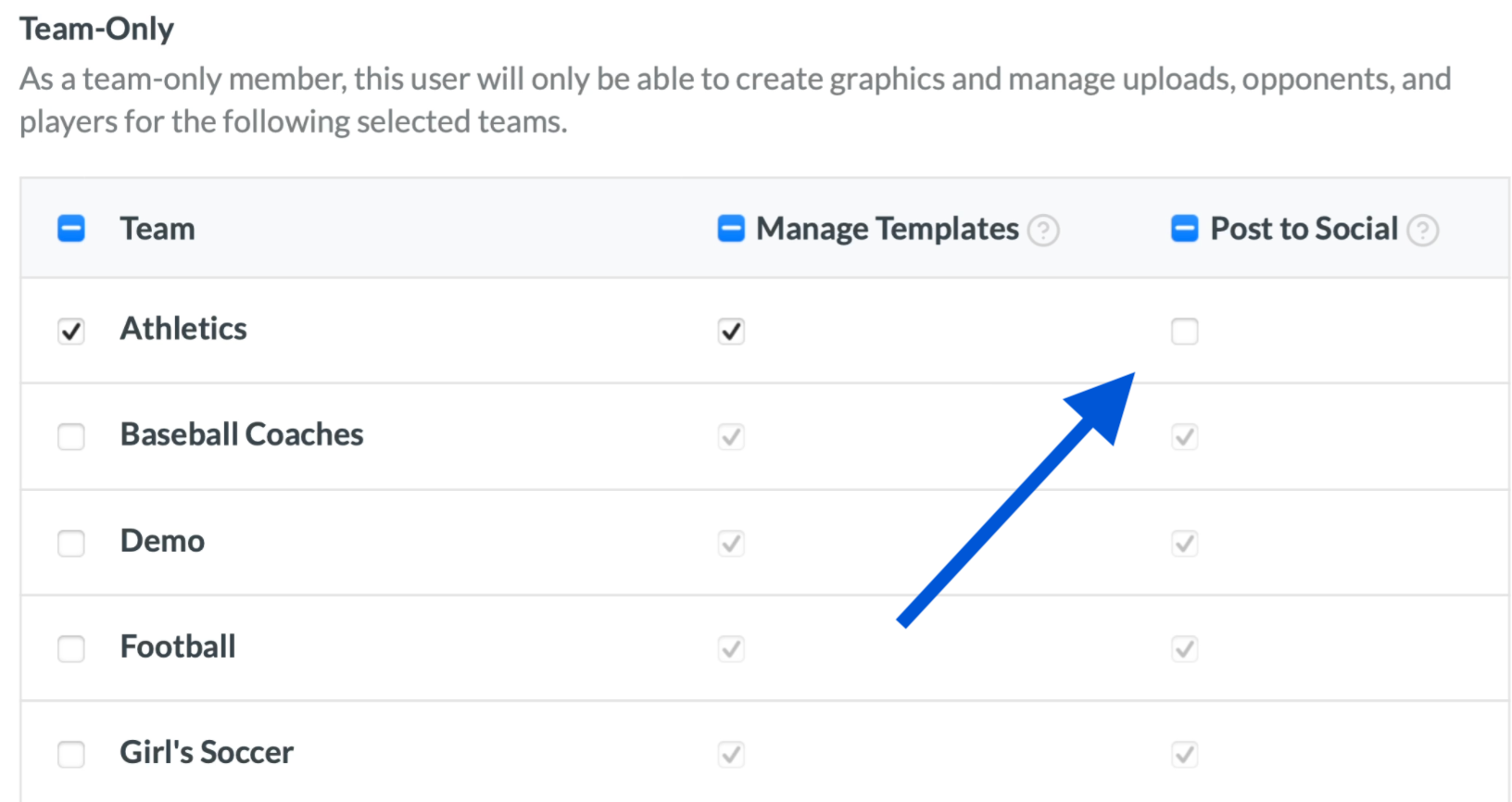
When adding users to your account, you can now control who has the ability to post to social media and who does not. The people you trust get posting access. Everyone else creates their graphics and submits them for your approval.
For Team Members Without Posting Access
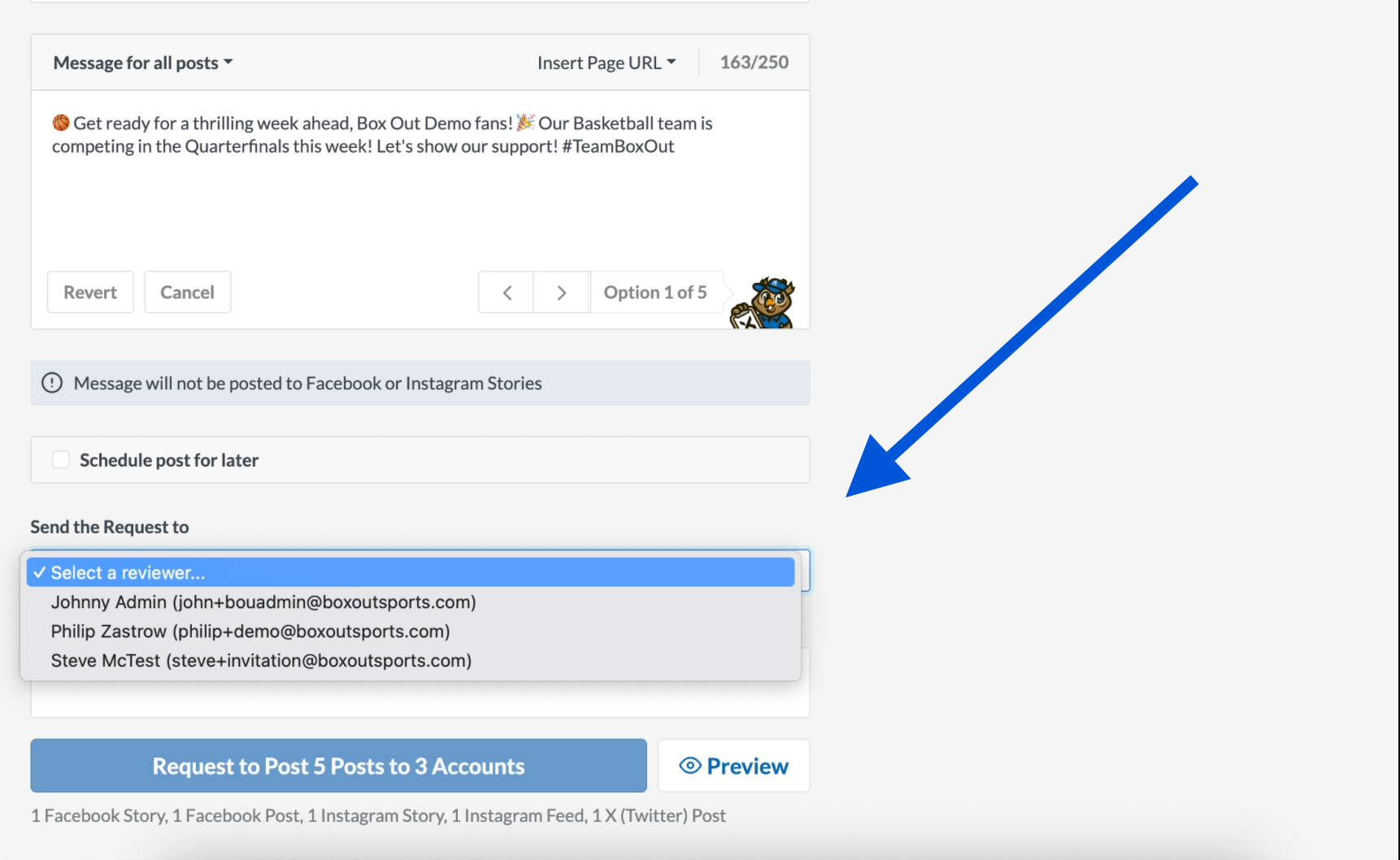
No posting access? No problem. Once a graphic is ready, team members can go to Request, select an administrator, and submit the graphic for review. It goes straight to your queue.
For Administrators Approving Posts
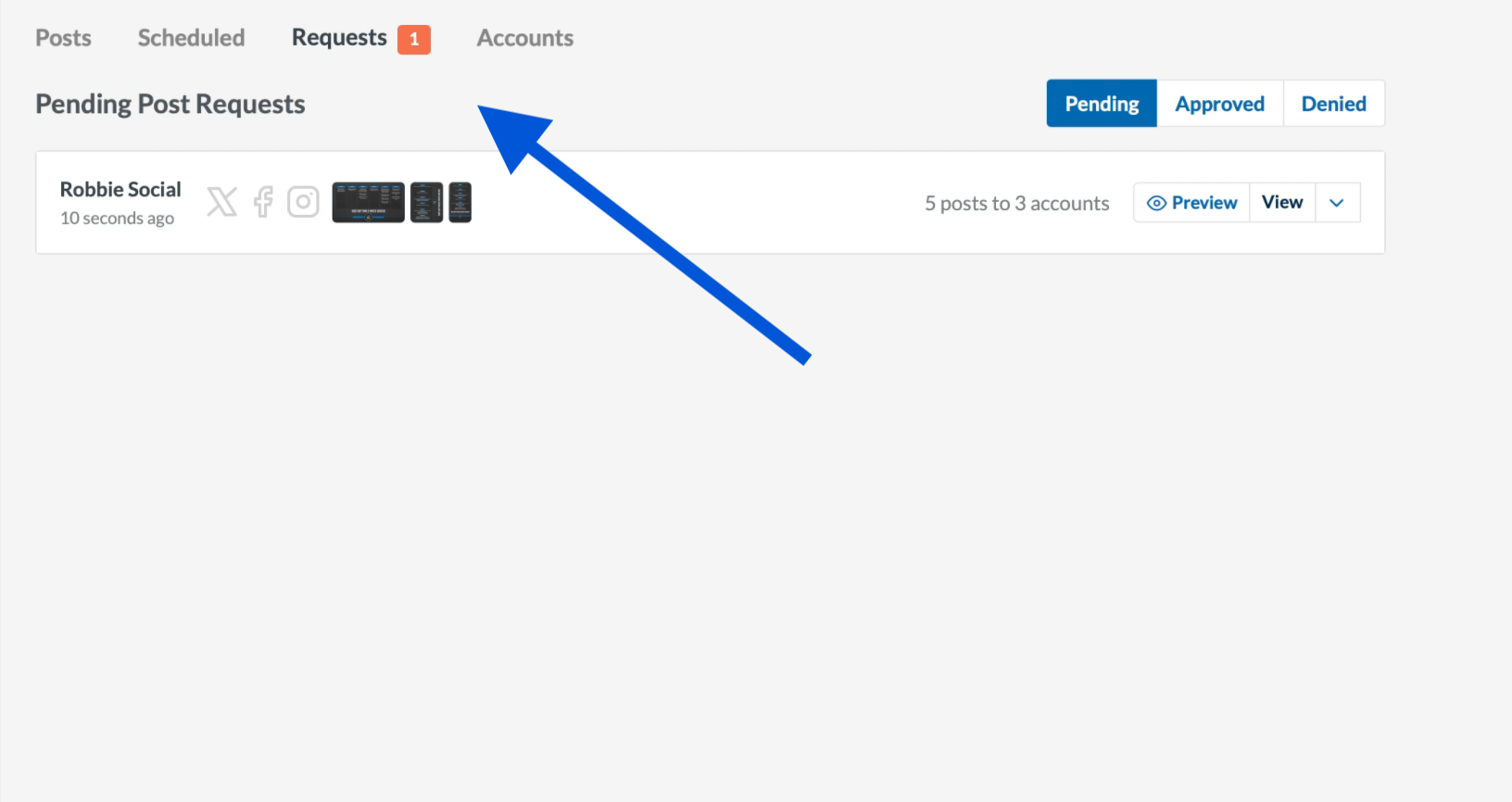
Inside your Social Media tab, you will find a new Requests section. Here you can see exactly what your team has created, review the graphic, and approve it, deny it, or leave a comment. Approve it and it posts. Simple as that.
Delegate With Confidence
Whether it is a staff member, a coach, or a student helping out, everyone can keep creating while you stay in the loop. Hand off the work, keep the final say on what goes live.
Watch how it works here and stay tuned for more updates on the way.


